IMPORTANT: CONSTRUCTION NOTICE For your safety, no customers will be permitted on our grounds until further notice.
Bills can be paid online through SmartHub by clicking here or in person at any Friendship State Bank Location. You may also call 1-844-980-3042 to pay with a credit card or set up automatic payments, so you know you’re covered every month!
Please call our office at 888-200-8077 for all other inquiries. We are sorry for any inconvenience this may cause.
Sometimes it is beneficial to ensure certain devices on your LAN always retain the same IP Address. This is helpful for devices that communicate with other devices also on your LAN such as printers, security cameras, network video recorders, etc. This ensures that nothing needs to be reconfigured should the device request a new address. If it does, the Router will ensure the device always has the same one.
1) From a web browser, go to “http://192.168.1.1”. Login with the username “admin” and the password “seiadmin”.
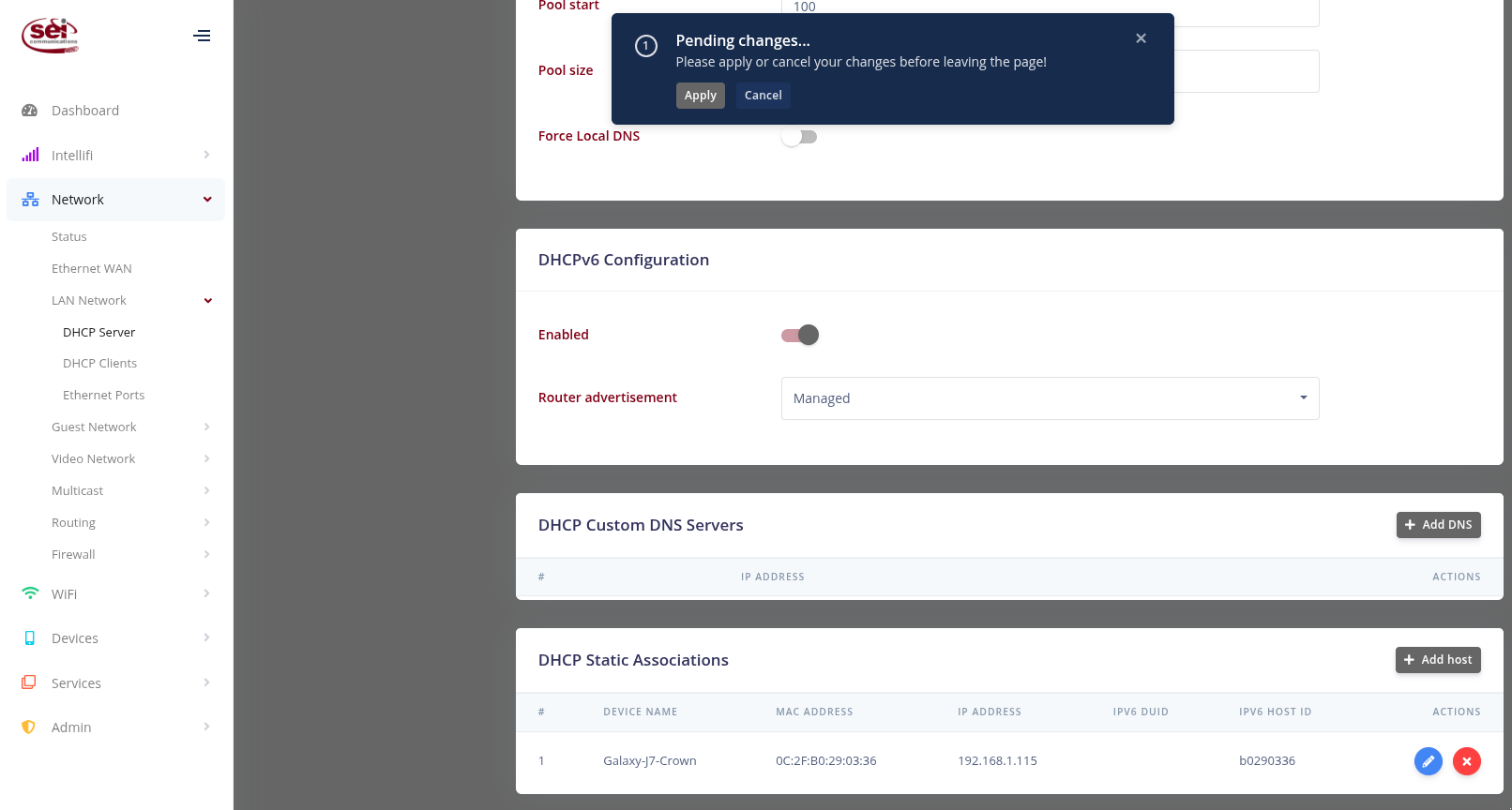
2) Click the “DHCP Server” link under the Network > LAN Network section. Once on the DHCP Server page, scroll down to the “DHCP Static Associations” section.
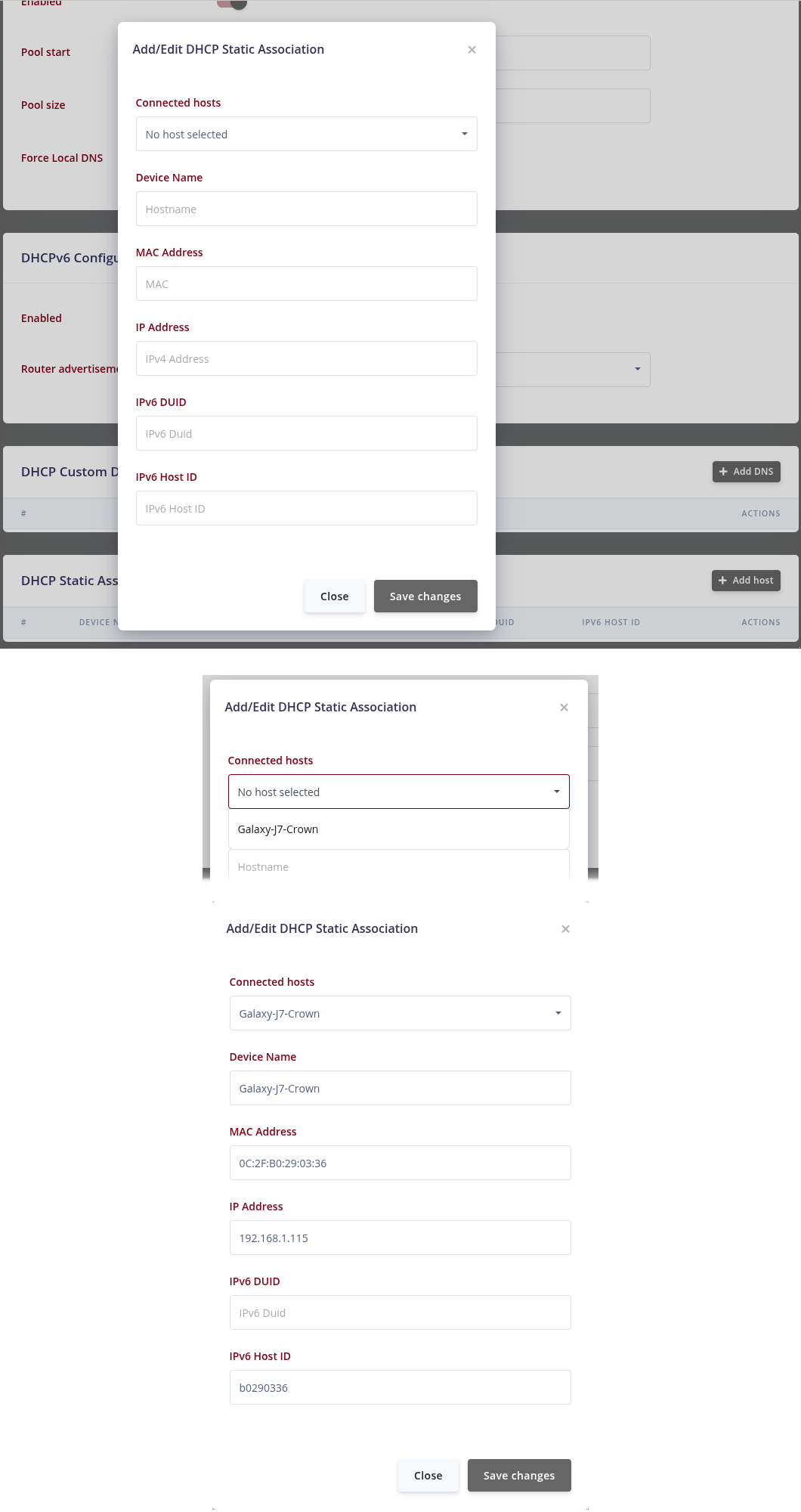
– Click the “Add host” button and use the Connected hosts drop-down to select the host you want to add. Everything else should pre-populate with the correct information.
– Click “Save changes” and then “Apply” at the top of the screen.